Learning how to buy on Kakobuy for the first time doesn’t have to be complicated. The first order through an agent always feels heavier than it should. A retail cart is one page – an agent workflow spans several screens. This walkthrough is written for the buyer who has never touched Kakobuy before, has heard „just open the Kakobuy spreadsheet“ a dozen times, and wants a straight line from browsing to a parcel at the door.
How to Buy on Kakobuy: Step 1 – Create Your Account
Head to Kakobuy through the Kakobuy invite link and sign up with an email you can actually access – address verification is the most common reason a first parcel gets returned. Add a phone number that couriers can reach; the international lines rely on it far more than a European retail purchase would.
Step 2 – Open the Kakobuy Sheet
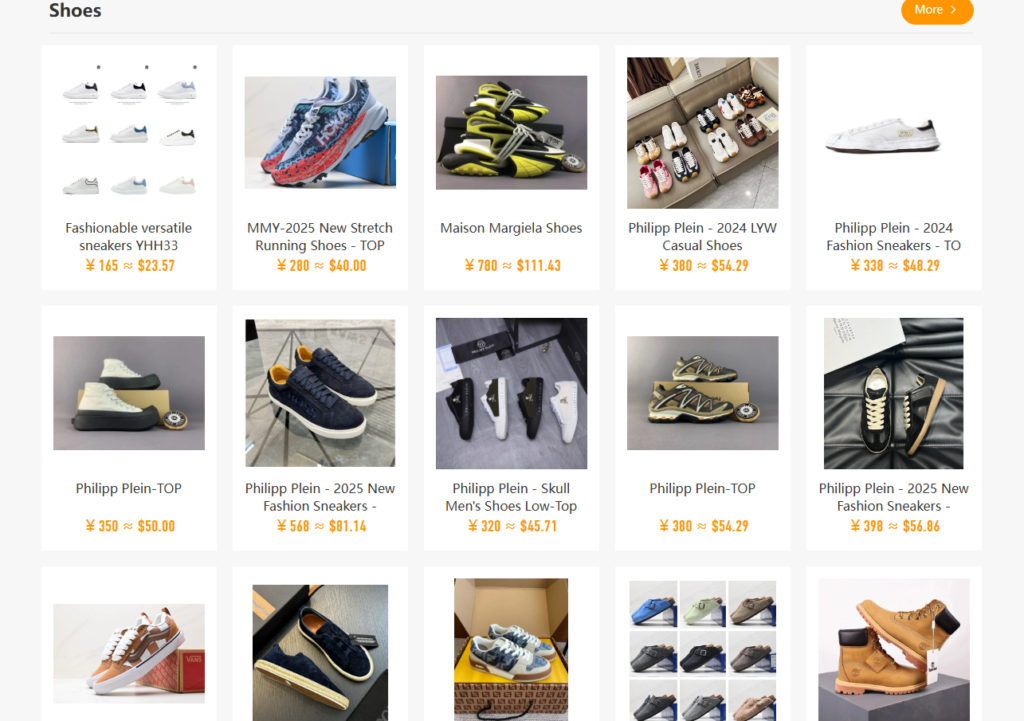
The best Kakobuy spreadsheet hub collects tried products across every popular category so you never have to guess which listing is trustworthy. Bookmark the Kakobuy sheet on FCsheet as your primary jumping-off point. The categories are laid out top-to-bottom: Shoes, Clothing, Bags, Perfume, Watches, Jewelry, Glasses, Accessories, Toys.
Step 3 – Pick a Product and Copy the Link
Click the row you like. It opens the seller’s product page in Chinese – do not translate line by line, the sheet already surfaces what matters (batch, price, size range). Copy the URL from the address bar. That is all Kakobuy needs.
Step 4 – Paste Into Kakobuy’s Purchase Box
In your Kakobuy dashboard, find the „Buy for Me“ input. Paste the link, pick size and colour from the dropdown Kakobuy fetches, and add a note if the sheet flagged a specific batch (for example: „Please ship UB batch, thanks“). Confirm payment for the item plus the small domestic Chinese shipping fee.
Step 5 – Review QC Photos
When the seller ships to the Kakobuy warehouse, staff take QC photos. You will see them in your dashboard. Read the How to Buy on Kakobuy guide on QC angles before approving. Rejecting is fine – a re-QC or seller swap costs less than shipping a bad unit twice.
Step 6 – Consolidate and Ship
Approved items sit in your virtual warehouse. Add a few more from the sheet, then request a single consolidated shipment through the Kakobuy shipping guide. Pick the carrier that matches your budget and delivery window and you are done.
Small Tips That Save Real Money on Order One
- Do not ship each item the moment it arrives. Free storage days exist for a reason.
- Screenshot the row in the kakobuy sheet so you can compare against the QC photo.
- Declare an honest value at shipping. Customs seizures cost far more than the duty you tried to skip.
Once the first parcel lands, the rhythm becomes obvious. Bookmark Kakobuy home and cycle: sheet → order → QC → ship.